
The short answer
If the computer still turns on and reaches the internet, a lot can be fixed without it leaving your desk — virus cleanup, slow machines, email and printer trouble, and setup help. It runs at $60 an hour, the same as bench labour, with no diagnostic fee because nothing is being opened up.
Last updated · Written by Bryce Elliot
Other things I fix
Before you hand it over.
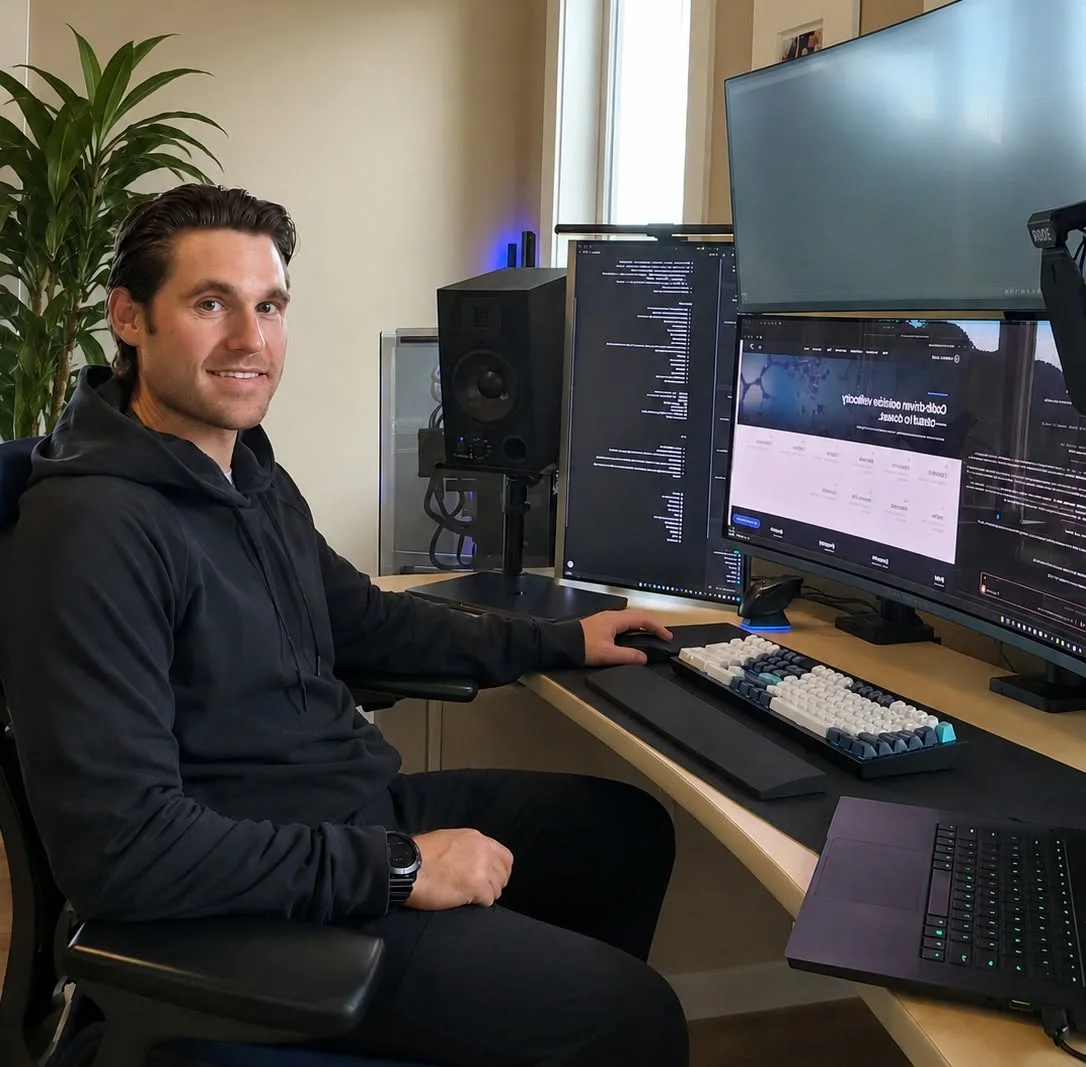
- Your privacy is the jobI don’t go poking through your files. I fix what you came in for, and whatever is on your computer stays your business. Full stop.
- A real person, not a chainYou know my name and my face. I live here, I work here, and my reputation rides on every single repair.
- No judgment, everWhatever’s on there, I’ve seen it before and I genuinely don’t care. I’m not here to comment. I’m here to fix it.
- Honest, even when it costs meI’ll tell you when a repair isn’t worth it, or when it’s a five-minute fix I won’t charge for. Your trust is worth more than one job.
How do I know you are not the scam?
This is the right question to ask, and I would rather you ask it than not. Everywhere else on this site I tell people that anyone asking for remote access to their computer is running a scam. That is still true. So here is the difference, and it is not subtle.
A scam contacts you. It arrives as a full-screen warning with a phone number, a pop-up that will not close, or a cold call claiming to be from Microsoft or your internet provider. Nobody detects a problem on your personal computer from a call centre. If contact started with them, it is a scam, every time, with no exceptions.
Remote support here works the other way round. You phone or text me on a number you found yourself, we agree what the problem is, and only then does anything get connected — at a time you chose, with you sitting in front of the machine watching the screen the whole way. You can end it at any moment by closing the session or shutting the lid.
I will also never ask for a password, a banking login, a gift card, or payment before the work. If anyone doing this asks you for any of those things, that is the tell, whoever they claim to be.
What can actually be fixed remotely?
Anything that lives in software. In practice that covers most of what people phone about.
Virus and malware cleanup, including the aftermath of a scam call — removing what was installed, checking for remote-access tools left behind so somebody can get back in later, and going through the accounts most likely to have been exposed.
Slow computers, where the cause is startup programs, junk software or accumulated clutter rather than a failing drive. Email that has stopped connecting, printers that will not print, software that needs installing or configuring, and setting up a new computer so it works the way you actually use it.
And the quieter one people find most useful: being shown how to do something on your own machine, at your own pace, without anyone taking over and doing it too fast to follow.
What cannot be done remotely?
Anything physical, which is a genuine limit rather than a preference. A cracked screen, a dead battery, a failed charging port, a fan that has stopped, a machine full of dust — those need hands on the hardware.
A computer that will not power on or will not boot cannot be reached at all, because remote support needs the machine running and online to connect to in the first place.
Data recovery from a failing or dead drive is a bench job. Running software over the internet at a drive that is physically failing is one of the better ways to make it worse, and imaging a drive properly means having it in front of me.
If any of those turn out to be your problem, I will tell you during the call rather than after an hour of trying, and we move to a drop-off instead.
What does remote support cost?
$60 an hour, the same rate as labour on the bench, billed for the time actually spent rather than rounded up to the hour.
There is no $40 diagnostic on remote work. That fee exists to cover opening a machine and finding out what is physically wrong with it, and none of that applies here — so you are not paying it.
I tell you what I think the job will take before anything starts, and you can stop at any point. The same rule as everywhere else on this site applies: if it turns out to be a two-minute thing, I am not going to invoice you for it.
Can you look at it before I drive in?
Yes, and this is worth knowing if you are coming from Vernon, Coldstream or anywhere the drive is a real commitment.
A short remote look can often tell us whether the machine needs to come in at all. Sometimes the answer is that it is a software problem and it is already fixed by the end of the call. Sometimes it is clearly hardware and you know before you get in the car exactly what it needs and roughly what it will cost.
Either outcome saves you a wasted trip, and that is worth far more than the few minutes it takes.
What do I need at my end?
A computer that turns on, an internet connection, and somewhere to sit for the length of the call. That is genuinely it.
You do not need to install anything in advance or prepare the machine. I will walk you through the connection step by step when we start, slowly, and you stay in control of the screen throughout.
If your internet itself is the problem, remote support obviously cannot reach you — phone or text (604) 817-1069 and we will work out whether it is the computer or the connection before doing anything else.
Not every computer problem is a hardware problem. Pop-ups, a browser that has been hijacked, a machine that has slowed to a crawl, an email account that will not connect, a printer that has stopped talking to the computer — none of that needs the machine physically in front of me. If it powers on and gets online, I can usually deal with it remotely, the same day, without anyone driving anywhere. That matters most if you are out in Vernon or Coldstream, or if getting to Lake Country is genuinely difficult.
It runs at $60 an hour, the same rate as bench labour, and there is no $40 diagnostic because nothing is being opened up. I tell you what I think it will take before we start, and you can stop at any point. If it turns out the problem is hardware after all, I say so and we stop there rather than running the clock — and you have lost nothing but a few minutes.
What’s included
- Virus, malware and pop-up cleanup
- Slow computer and startup cleanup
- Email, printer and software setup
- New-computer configuration help
- A look before you drive in
- Walkthroughs at your own pace
- $60/hour, no diagnostic fee
Big-box stores charge around $100 just to look, and keep it. Mine comes right off your remote support, and you know exactly what’s wrong within 24 hours of drop-off.
Flat $60-an-hour labour and fair part pricing means most repairs cost $50 to $150 less than the big-box chains. You deal with me directly, not a sales floor with a repair desk attached. Honest, upfront pricing every time.
Serving Lake Country, Kelowna and Vernon with drop-off and in-home options. Book online or call and you talk to the person actually fixing your computer.
What customers say.
“This is the first time I have used Lake Country Computer. Bryce is easy to talk to, as computer stuff is not my wheel house. Bryce just explained very clearly. Email contact on all issues. Cost of service is consistent with market value.”
Promised a 48 hour window and delivered. My laptop is running extremely smooth so far! I will come back if I have any more issues. Thanks again.
The best service ever. Great prices and great service. HIGHLY recommend!!!
Helped in a pinch and was very knowledgeable. Highly recommend.
5 stars! Thanks!
My experience was absolutely amazing. No one else could fix my computer brought it here didn’t take long at all about on my laptop. Highly recommend.
For once you can trust a Google review rating! Bryce fixed my new screwed up(self inflicted) laptop in just over an hour and he tailored it to my needs. I drove down from Vernon and will be again next week with some other laptops that need looking at. Definitely give this business a chance