
- 011. A mechanical hard drive is the cause about half the time
- 022. Too little memory, and too much running in it
- 033. Heat and dust, which matters more here than most places
- 044. The browser, which is most people’s real computer
- 055. Malware, which is less common than people fear but not rare
- 06What does not work, and what I would not sell you
- 07When it genuinely is not worth fixing
- 08What a tune-up actually involves here
A computer that takes five minutes to boot, freezes when you open a browser, or spins up its fan just to load email is the single most common thing people bring me. It is also the most misunderstood, because the assumption is almost always “it is old, I need a new one”, and that is usually wrong. Age is rarely the actual cause. Something specific is slowing the machine down, and in most cases it is fixable for a fraction of what a replacement costs.
Here is the honest ranking of what causes it, in the order I actually find them.
1. A mechanical hard drive is the cause about half the time
If your computer is more than about six or seven years old, or was a budget machine when new, there is a good chance it still has a spinning mechanical hard drive rather than a solid-state drive. This is, by a wide margin, the biggest single cause of slowness I see, and the easiest to fix.
A mechanical drive has a physical arm that has to move to the right spot on a spinning platter to find each piece of data. A solid-state drive has no moving parts and reads data electronically. In practice the SSD is not twice as fast at this, it is more like fifty times faster for the small scattered reads that Windows does constantly while starting up and opening programs.
This is why the change feels so dramatic. A machine that took four minutes to reach a usable desktop will often do it in twenty seconds on an SSD. Nothing else you can do to an older computer comes close. I do this from $49 plus the cost of the drive, and your files and programs come across so it is the same computer, just faster.
One caveat worth being straight about: if the drive is mechanical and has also started developing faults, you are not just slow, you are on borrowed time. A drive that has begun to fail often presents as “the computer has got really slow” long before it presents as “the computer will not start”. That is one of the reasons I would rather look at a slow machine than have you wait.
2. Too little memory, and too much running in it
Memory, or RAM, is the working space your computer uses for whatever is open right now. When it runs out, it starts shuffling data to the drive instead, which is enormously slower, and if that drive is mechanical, the two problems compound into a machine that grinds to a halt every time you open a second browser tab.
Modern Windows and a browser with a realistic number of tabs will use a surprising amount. 4GB is genuinely not enough any more. 8GB is workable for ordinary use. 16GB is comfortable and is what I would put in anything being asked to last a few more years. Adding memory is usually inexpensive and, on desktops and many laptops, straightforward.
The related problem is what is competing for that memory. Programs quietly install themselves to start with Windows: printer utilities, update checkers, cloud sync tools, things bundled with a download years ago. Each one is small; twenty of them together is why the machine takes forever to become usable after you log in and never quite feels responsive afterwards.
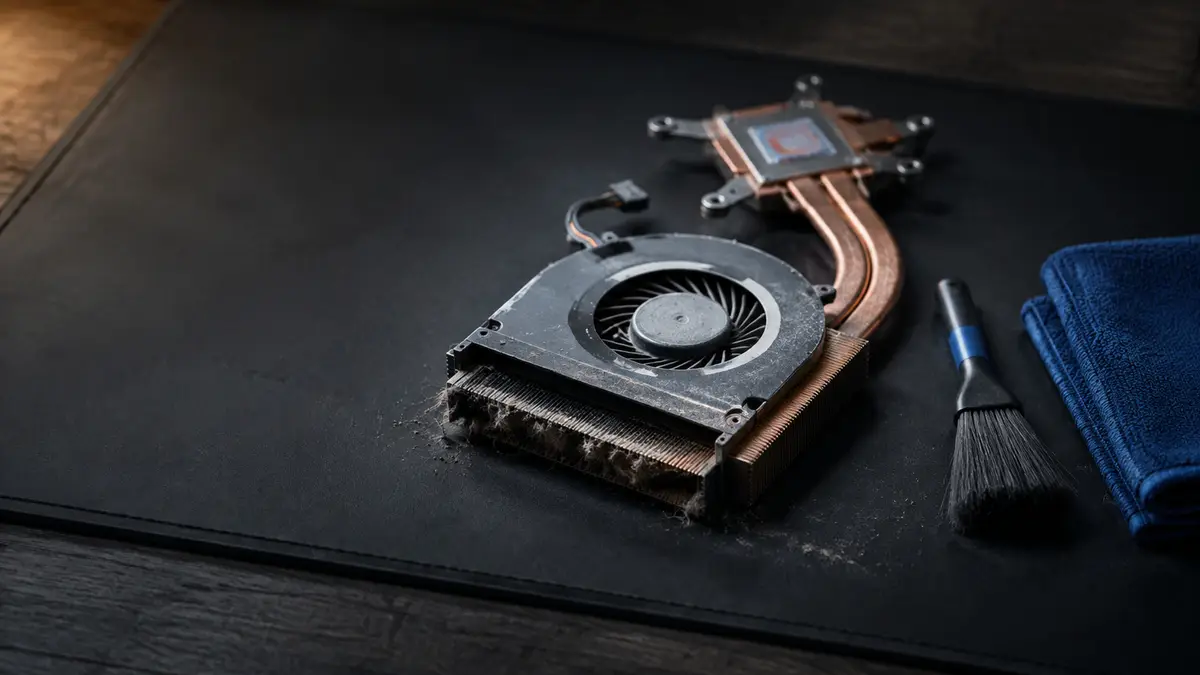
3. Heat and dust, which matters more here than most places
This one is specific to where we live. An Okanagan summer regularly puts sustained heat into rooms that have no air conditioning, and computers cope with heat by slowing themselves down on purpose. It is called thermal throttling, and it is a protective measure: rather than damage the processor, the machine reduces its own speed until temperatures come back into range.
The result is a computer that is noticeably slower in July than it was in March, with fans running constantly. People assume the machine is dying. Often it is just full of dust and sitting somewhere it cannot breathe.
What actually helps, in order of how much difference it makes:
- Get the dust out. Fans and heatsinks clog with a felt-like mat of dust that acts as insulation. Cleaning it out properly is part of a tune-up and often drops temperatures substantially.
- Give it air. A laptop on a duvet or a cushion is sitting on top of its own intake vents. A hard, flat surface, or a stand that lifts it slightly, is a genuinely meaningful change for free.
- Move it out of direct sun. A desk in front of a south-facing window in August is a difficult place to be a computer.
- Do not leave a laptop in the car. A closed car in Okanagan summer heat gets far hotter than the machine is rated for, and it is hardest on the battery, which is the component that degrades permanently.
On older laptops that run hot even when clean, the thermal paste between the processor and its heatsink has often dried out and stopped transferring heat properly. Replacing it is a bench job and it can transform how a machine behaves under load.
4. The browser, which is most people’s real computer
For a lot of people the browser is where essentially everything happens, which makes it worth treating as its own category. Extensions and toolbars accumulate, each one adding work to every page load. Dozens of open tabs each hold their own chunk of memory. And a browser that has been carried forward through several years and several machines is usually carrying a lot of accumulated weight.
If your computer is fine until you open the browser and then becomes unusable, start there rather than assuming the whole machine is finished.
5. Malware, which is less common than people fear but not rare
Some malware is designed to be invisible and simply uses your machine, for cryptocurrency mining, or as part of a network sending spam. The symptom is a computer working hard while you are doing nothing, with fans running and everything feeling sluggish.
It is not the most likely cause of slowness, so I would not jump to it first, but it is worth ruling out, particularly if the slowdown appeared suddenly rather than creeping in over a couple of years.
What does not work, and what I would not sell you
There is a whole industry built on the promise of speeding up a computer with software, and almost none of it does anything useful.
- “PC optimizer” and “speed booster” software. At best these do nothing measurable. At worst they are the problem: nagging for a paid upgrade, running constantly in the background, and in some cases doing real damage.
- Registry cleaners. The registry is not what is slowing your computer down. Cleaning it aggressively is a good way to break something that was working.
- Deleting files to “free up space”. Worth doing if your drive is genuinely nearly full, because that does cause problems. But going from 60% full to 40% full will not make a mechanical drive fast.
- Running three antivirus programs at once. They compete with each other and with you, and the machine gets slower, not safer.
If someone quotes you for a “full system optimization” that is really just running one of these tools, you are paying for a placebo.
When it genuinely is not worth fixing
I would rather tell you this than take the job. A machine is usually past the point of being worth work when the cost of what it needs approaches half the price of a replacement that would serve you better, or when the limiting factor is something that cannot be upgraded: a processor that is simply too old, a laptop where the memory is soldered to the board at 4GB and cannot be changed.
That is a judgement call, and it depends on what you actually do with the computer. A machine that is only ever used for email, banking and video calls has a much longer useful life than one being asked to edit video.
What a tune-up actually involves here
A speed and cleanup tune-up starts from $59 and is genuine hands-on work, not a scan: clearing out what is starting with Windows, removing junk and any malware that turns up, physically cleaning the dust out of the fans and heatsink, checking the drive’s health, and checking what temperatures the machine actually reaches under load.
At the end of it you get an honest answer about the hardware. If the real fix is an SSD, I will tell you what that costs rather than charging you for a tune-up that will not solve the problem. And if I think the machine is not worth the money, you will hear that too.
It starts with a flat $40 diagnostic that comes off the bill when you go ahead, so you find out what is actually wrong before you commit to anything. Call or text (604) 817-1069, or book a drop-off time online.
Need a hand with this?
Honest, upfront pricing in Lake Country, Kelowna and Vernon. Book a repair or give me a call.
Explore
Bryce Elliot
Owner, Lake Country Computer Repair, nearly 20 years experience